

A Year in the Making
After more than a year of development, testing, redesigning, breaking things, fixing them, and asking myself “what would I actually want sitting next to me while instructing in a simulator?” — CFI Station Version 1 is almost ready for release.
This has become one of the most ambitious apps I’ve developed for Katana-Pilot.
CFI Station is a native iPadOS instructor station built specifically for X-Plane 12. Rather than trying to squeeze an instructor interface onto another Windows monitor, CFI Station puts the tools an instructor needs directly into an iPad — something that can sit beside the simulator, be carried around a training environment, or simply stay out of the student's way.
The iPad app works together with dedicated X-Plane 12 plugins for Windows, macOS, and Linux, creating a direct connection between CFI Station and the simulator.
And the goal from the beginning was simple:
Give the instructor control of the training session without having to constantly reach over the student or return to the simulator computer.
More Than a Remote Control
CFI Station isn't just a collection of buttons.
It is designed to become the instructor's command center.
From the iPad, the instructor can monitor live aircraft telemetry, manage aircraft systems, control fuel and weight, manipulate weather, reposition the aircraft, change simulator views, manage training scenarios, and introduce system failures — while the student remains focused on flying.
One of my favorite parts of the project is the Reposition system. Instead of repeatedly resetting an aircraft manually, an instructor can quickly place the aircraft on 10-, 5-, or 2-mile finals, establish left or right intercepts, enter a downwind, position for takeoff, or specify a completely custom latitude, longitude, altitude, heading, and airspeed. The concept was specifically designed around repeated approaches, pattern work and scenario-based training.
Then there is the map.
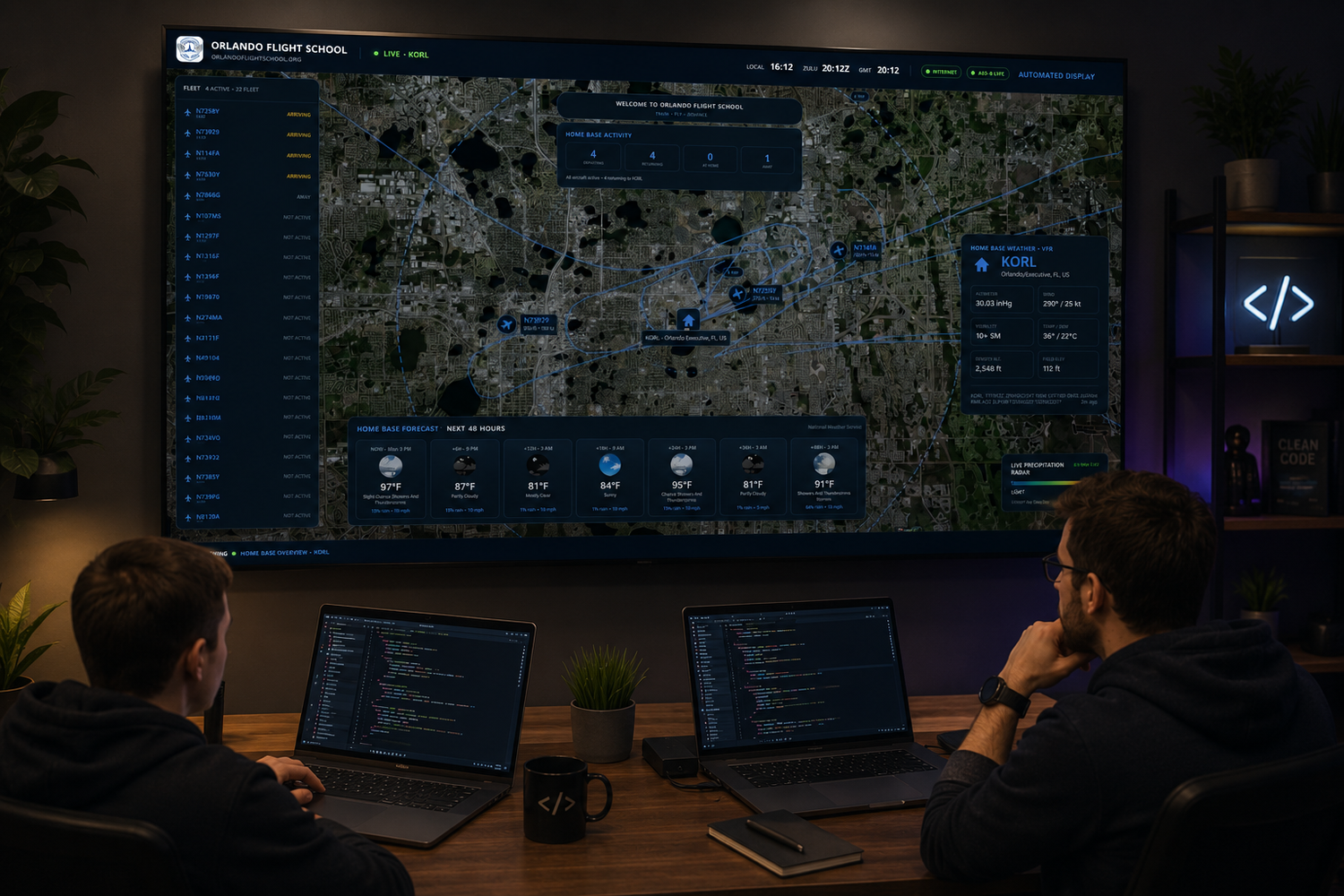
CFI Station provides a live tactical view of the simulator environment, including aircraft position, traffic, flight-path history, airport information and instructor tools such as measurement and annotation. The interface can even support drag-to-reposition, allowing the instructor to move the aircraft geographically from the map rather than entering coordinates manually.
This Is Where the Training Gets Interesting
Perhaps the area I've spent the most time thinking about is failure and emergency training.
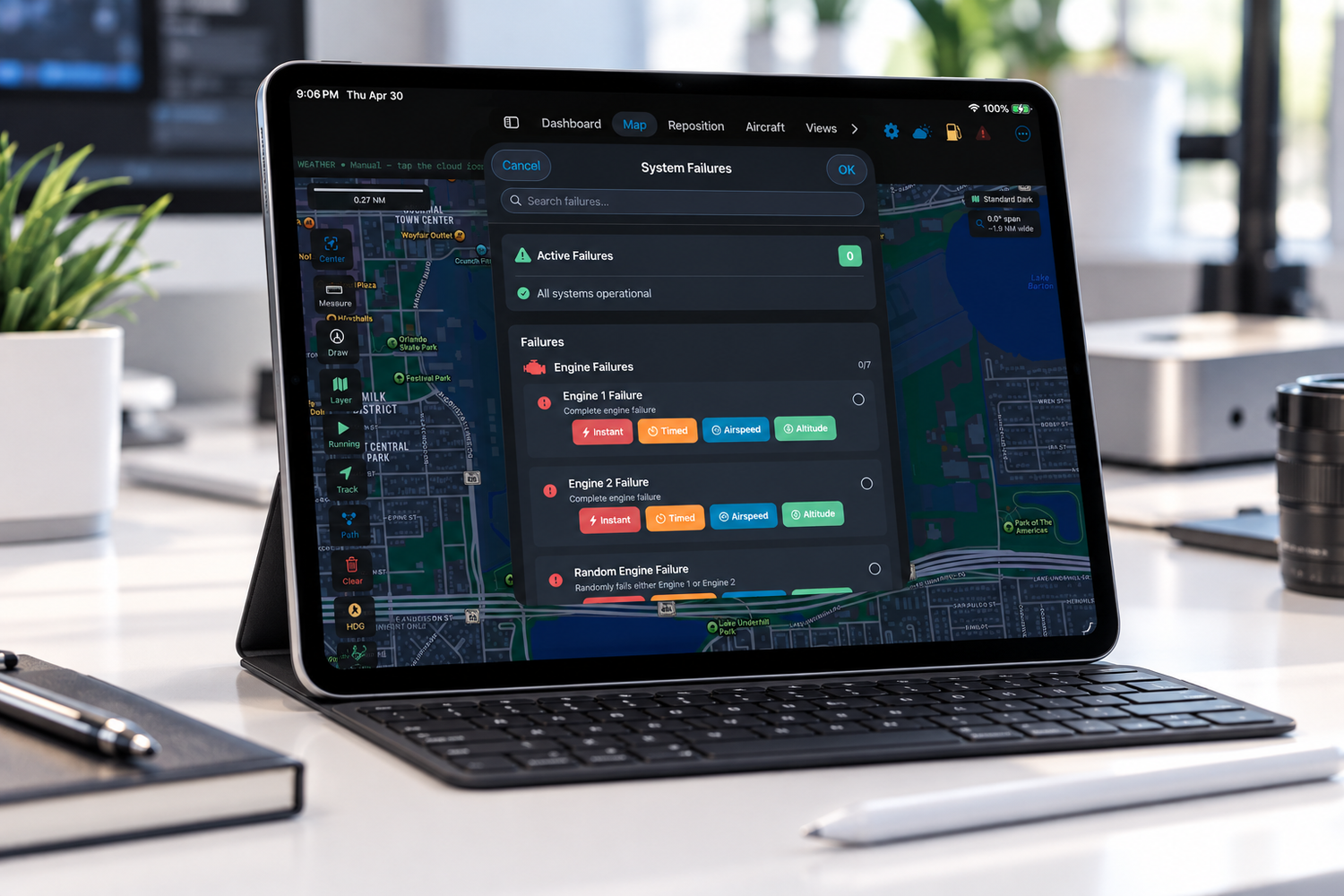
The system I've been developing includes 75+ failure scenarios across 12 categories, including engine, advanced engine, electrical, fuel, hydraulic, flight controls, instruments, avionics, environmental systems, structural systems, landing gear and even helicopter-specific failures.
But simply turning something "OFF" isn't enough.
Failures can be introduced immediately, after a timed delay, when the aircraft reaches a selected airspeed, or when it reaches a selected altitude.
That opens up some fascinating training possibilities.
An instructor can concentrate on the student instead of waiting for exactly the right moment to push a button. Set the scenario, establish the trigger, and let the event occur naturally during the flight.
Weather, Fuel, Aircraft Systems and More
CFI Station is also being designed to bring the everyday instructor tools into one consistent interface.
Weather can be manipulated from the iPad, including real-world METAR-based conditions, wind and altimeter settings, along with simulator time and environmental controls.
Fuel management adapts to the aircraft's tank configuration rather than assuming every airplane has the same fuel system. Individual tanks can be displayed and adjusted directly from the instructor station.
Weight and balance, payload, CG, landing gear, flaps, parking brake, electrical systems and other aircraft functions can also be managed without interrupting the student's cockpit workflow.
There is even session tracking and a simulator logbook component that can automatically track simulator time while the simulation is running and stop accumulating time when the simulator is paused.